
DoorDash Red Card Order: The DoorDash Red Card is a prepaid card made for Dashers who get Shop & Deliver orders. It isn’t connected to your Dasher earnings or bank account. DoorDash automatically adds the needed funds when you check out for an eligible shopping order.
A Red Card can be digital or physical. DoorDash currently recommends the digital card because you can add it to your phone and use it right away.
What is the DoorDash Red Card?
The Red Card is mainly used when a Dasher has to shop for items and pay at the store. Some Shop & Deliver orders can’t be completed without it. Having an active Red Card can also help you accept these types of orders.
The card isn’t your personal payment card. You don’t need to load your own money onto it. DoorDash funds the card for the shopping order when you’re ready to pay. The card also isn’t linked to your Dasher earnings. DoorDash now offers a digital Red Card as well as a physical one. The digital version is stored in your phone wallet and is the recommended option.
How to Activate PC Financial Credit Card Online: Complete Step-by-Step Guide for 2026
How to Get and Activate Your DoorDash Red Card
If you don’t have a Red Card yet, you can get one through the Dasher app or DoorDash Store. New Dashers can set up a Red Card as part of the Dasher signup process, and DoorDash says it can be required to become eligible for Shop & Deliver offers.
How to Get a Digital Red Card on iPhone
The digital card can be added directly from the Dasher app
- Open your web browser and go to the Doordash Store.
- From the top of the website, click on Dasher Gear.
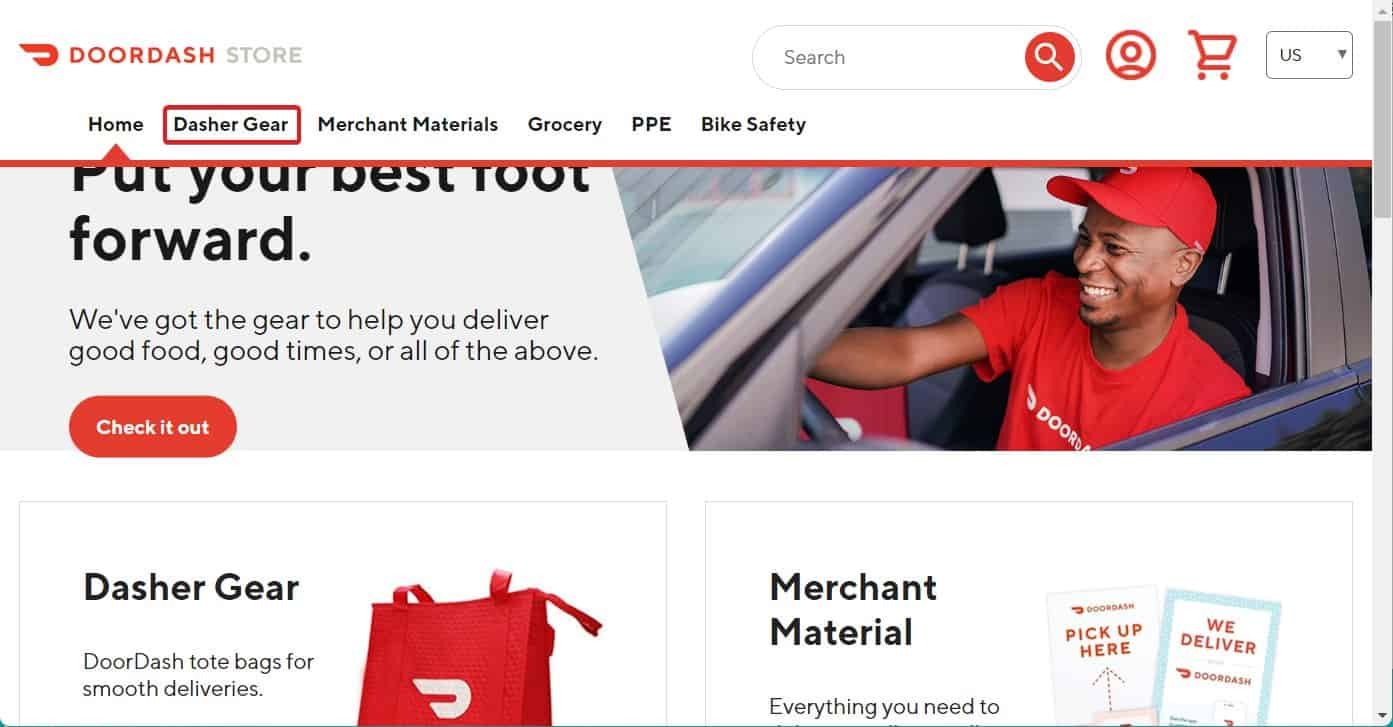
- Now, in the next page, scroll down below and click on Red Card.
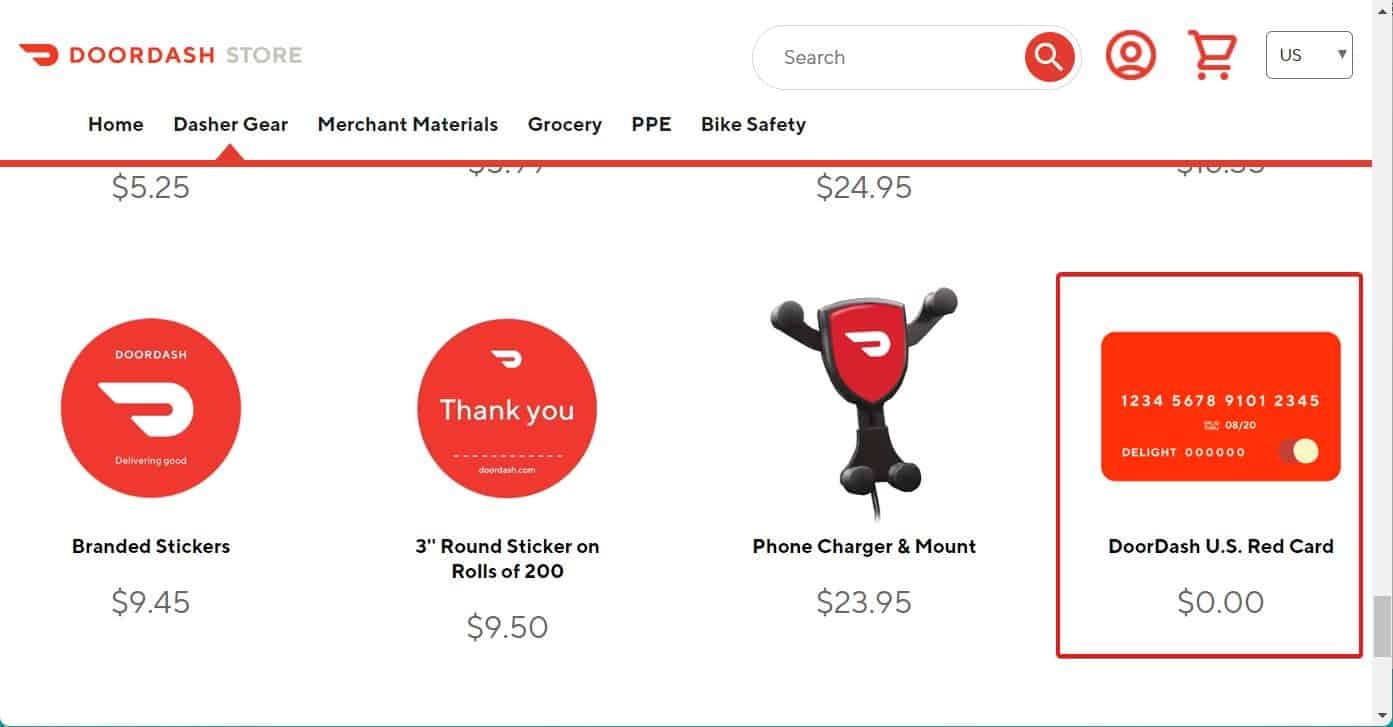
- You also have many other options that include a red bag and a card. You can choose any.
- Click on the Doordash Red Card and choose the Shipping Method from the drop-down menu.
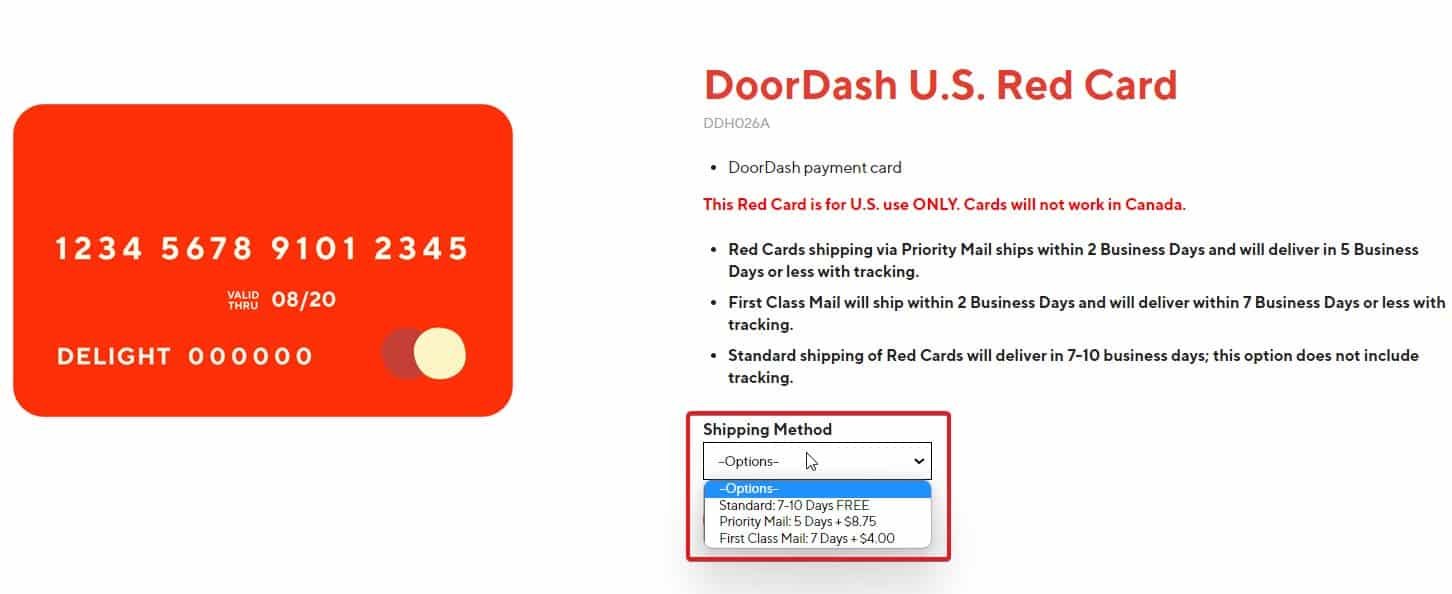
- Once done, click on Add to Cart.
- Enter the correct delivery address.
- Place the order.
Digital Red Card on Android
Android users can use Google Wallet. DoorDash says the Red Card currently works with Google Pay and not Samsung Pay.
- Install Google Wallet from the Google Play Store
- Open the Dasher app
- Open the 3-dot menu
- Tap Red Card and select Add to G Pay
- Choose Add Payment Card in Google Wallet
- Wait for the card information to fill in
- Enter your address if you’re asked for it
- Accept the Google Wallet and issuer terms
- Check the Red Card section to make sure it shows that the card has been added
How to Activate a Physical DoorDash Red Card

Once you have your DoorDash Red Card, you can activate it by following these simple steps:
- Download the Dasher app from the App Store or Google Play Store.
- Open the app and sign in using the details you used when you joined DoorDash.
- After signing in, download the DasherDirect app from the App Store or Google Play Store.
- Open the DasherDirect app and look for the QR code scanner.
- Use the scanner to scan the QR code on the back of your DoorDash Red Card.
- The app will then ask for the last 4 digits of your Red Card.
- Enter the last 4 digits. You’ll then get a one-time password (OTP).
- Enter the OTP in the app. Your DoorDash Red Card will then be activated.
The DoorDash Red Card doesn’t need a PIN when you’re using it to make payments at participating restaurants. If activation doesn’t work, DoorDash recommends updating the Dasher app to the latest version. Then close the app and open it again before trying once more.
How to Activate Aetna Nations Benefits Card at aetna.nationsbenefits.com in 2026
How to Use Your DoorDash Red Card
The Red Card is used for Shop & Deliver orders where DoorDash asks you to buy items from a store. When you reach checkout, the card is funded for that order. You shouldn’t use it for your own shopping or personal expenses.
A digital Red Card can normally be used with contactless payment at stores that accept it. On iPhone, you can open Apple Pay, select the Red Card and hold the phone near the card reader. On supported Android phones, you can use the Red Card through Google Wallet.
If a store doesn’t accept contactless payments and you only have a digital card, DoorDash says you may use your personal card for the purchase, keep the receipt and contact support for reimbursement.
What if Your DoorDash Red Card is Lost or Expired?
You don’t have to be stuck without a card for long. DoorDash recommends getting a digital replacement immediately when possible. You can also order a new physical card for free.
To report a lost or expired physical Red Card:
- Go to Account on iPhone or open the 3-dot menu on Android.
- Tap Dasher Red Card or Red Card.
- Select “Physical card lost or about to expire?”
- Tap “Confirm”
DoorDash says an active Red Card helps Dashers remain eligible for Shop & Deliver orders, so replacing a lost or expired card can be useful when you want to keep accepting those offers.
DoorDash Promo Codes and Coupon Codes 2026
Promo codes are mainly for DoorDash customers and aren’t the same as Red Card activation.
- DONUT23: 50% off on any orders. Price and place of order don’t matter. Subject to account availability.
- RWG: 50% off on all orders above $20. You will also get free delivery. Doesn’t matter on the account.
- HEATH: The offer entails users spending $20 and getting $10 cash back to the Doordash wallet. This offer cannot be clubbed with other offers and also won’t work if the order value is less than $20. Besides, you will get free delivery without any hidden charges.
- SUPER50EPNP: Flat 50% off on all DashMart orders. Doesn’t require any minimum order value. Delivery and pickup orders are all eligible.
Chime Card Activation: How to Activate Your Credit or Debit Card
DoorDash currently has promotions that are shown only to eligible users in their accounts. For example, DoorDash’s current 2026 promotions include offers that can give selected users discounts after completing certain activities. The exact deal, amount and expiry date can vary by account.