
BlueChew Login Guide: BlueChew says the sign-in page is at app.bluechew.com. To get into your account, you open the site, choose Sign Up/Login or Account Login.
How to Log In?
- Go to bluechew.com in your browser.
- Click Login in the upper right corner of the homepage.
- Enter the email address you used when you created your BlueChew account.
- Enter your password and click Sign In.
- You’ll land on your account dashboard where your subscription status, upcoming orders, and account settings are all visible.
If you do not remember which email you used, BlueChew suggests looking through your inbox for past messages from the company. The email that received your order or account messages is usually the one linked to the account. BlueChew also says account users can sign up with email, or use Google or Apple sign-in when creating a new account.
What is Inside the Account Dashboard
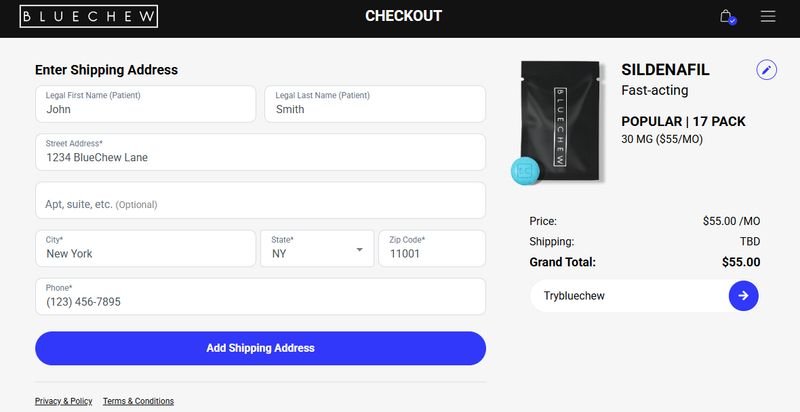
Once you are in, the dashboard is the main place to handle almost everything. BlueChew says you can view your plan, change your plan, update payment details, update shipping details, and check order history from the account area. The company also says users can change their medication or shipping preferences after logging in.
BlueChew’s current help pages also say you can update your shipping or billing address from the account section, and the privacy policy says certain information can be accessed, corrected, updated, or deactivated from the profile page after login. BlueChew also says orders are shipped in unmarked kraft mailers, which is meant to keep deliveries private.
BlueChew Subscription Plans
| Plan | Monthly Cost | Tablets Included | Best For |
|---|---|---|---|
| Basic | $20/month | 6 tablets | Occasional use — roughly 1–2 times per week |
| Standard | $30/month | 12 tablets | Regular use — roughly 3 times per week |
| Premium | $60/month | 24 tablets | Frequent use — every other day or so |
| Ultimate | $90/month | 36 tablets | Daily or near-daily use |
First-time Users and Account setup
If someone is new, the account is made during the first order. BlueChew says the usual flow is to choose a plan, create a password, and finish a short medical intake. The company says this intake is a brief online review done by licensed medical providers, and some users may need a telehealth consult. BlueChew also says order approval can take about 24 to 48 hours after the medical review.
BlueChew’s account guide says the service is built to be quick and easy. It also says users can switch plans later from the account, and that changes can be made without starting everything over again.
Fixing Common Login Problems
If the password is wrong, BlueChew users can use the password reset option from the login page. If the email is not being accepted, the most common reason is that the wrong address is being used. BlueChew also says problems can sometimes come from browser cache, cookies, or saved autofill passwords.
If the account looks inactive, BlueChew says a payment issue or missed renewal may be the cause. The company’s refund and subscription policy says members can cancel anytime through the account by selecting “Put On Hold” or by contacting support, and requests should be made at least 24 hours before the renewal date to avoid the next charge. BlueChew also says billing is recurring on the chosen interval.
Resetting a Forgotten BlueChew Password
If you’ve forgotten your password, the reset process is quick:
- Go to bluechew.com and click Login.
- Click Forgot Password? below the login fields.
- Enter the email address associated with your account.
- Check your inbox for the password reset email — it typically arrives within a couple of minutes. Check your spam folder if you don’t see it.
- Click the reset link in the email. It’s time-limited, so use it promptly rather than letting it sit.
- Create a new password and sign in.
Imagine Credit Card Login Guide: Sign In, Payments And Account Management
How to Contact BlueChew Support if You Cannot Access Your Account
If login still does not work, BlueChew says help is available through:
- support@bluechew.com or via chat on the website.
The company says support can help with account issues, billing questions, shipping concerns, and access problems. It also says having your order number, email address, and shipping address ready can make the verification process faster.
BlueChew’s current help pages make it clear that the account is the main place for managing the service. For most users, logging in, checking the dashboard, and using support chat or email are the fastest ways to fix problems and keep the account moving smoothly.
Live Chat Support
One of the quickest ways to get assistance is through BlueChew’s live chat feature. This option is available on the BlueChew website during business hours and is often the fastest method.
Email Support
You can also reach BlueChew through the contact form available on its website. After submitting your request, the support team will review your issue and respond as soon as possible.